
You open your phone gallery to find your dog's birthday photo and end up scrolling through sleeping poses, muddy walks, holiday outfits, and almost identical pictures from the park. You've recorded a life together, but you haven't made something you can comfortably revisit. A lasting dog photo album needs an edited story, readable pages, and a separate archive that protects the photographs you don't print.
Start With the Story You Want to Keep
Don't begin by choosing a cover. Begin by deciding what you want someone to remember.
A puppyhood album might follow the journey from arriving home to settling into family routines. A travel album can concentrate on shared adventures. A training journal should show the dog learning and working with you, not just posing beside a certificate. For a memorial edition, ordinary moments may deserve more space than birthdays because they capture what living together felt like.
Choose a purpose narrow enough to guide your decisions. Trying to include every event usually produces a crowded album with no clear emphasis. You can preserve the complete library separately without asking the reader to browse it all.
Decide Who Will Open It
An album for children needs names and context they may not remember later. A gift for a relative can emphasize the relationship between that person and the dog. A household edition can include private jokes, while a publicly displayed version needs captions that make sense to strangers.
Write a short project statement before selecting photographs:
- Purpose: Record puppyhood, a favorite journey, training progress, family life, or remembrance.
- Audience: Identify the household, gift recipient, or public viewers.
- Finish: Decide whether this is a completed keepsake or an album you'll update.
Think of this as telling a story through narrative art, with photographs providing the scenes. The connections between images matter as much as the individual portraits.
Designer's rule: Keep the photograph because it contributes to the story, not simply because you love the dog in it.
Your first assignment is to list meaningful milestones without designing pages. Include homecoming, birthdays, favorite places, training breakthroughs, familiar routines, and changing relationships. That list gives you a practical search plan for the phone library.
Set Up the Project for Digital and Print
Build a project folder before making edits. Otherwise, you'll soon struggle to distinguish the original photograph from the cropped version, the messaging-app copy, and the file you exported for printing.
This is a practical problem, not just tidiness. A 2025 Australian YouGov survey found that 36% of pet owners had more pet photographs on their phones than photographs of family or friends, and 8% had bought extra cloud storage specifically for pet pictures, according to Australian Dog Lover's coverage of the survey.
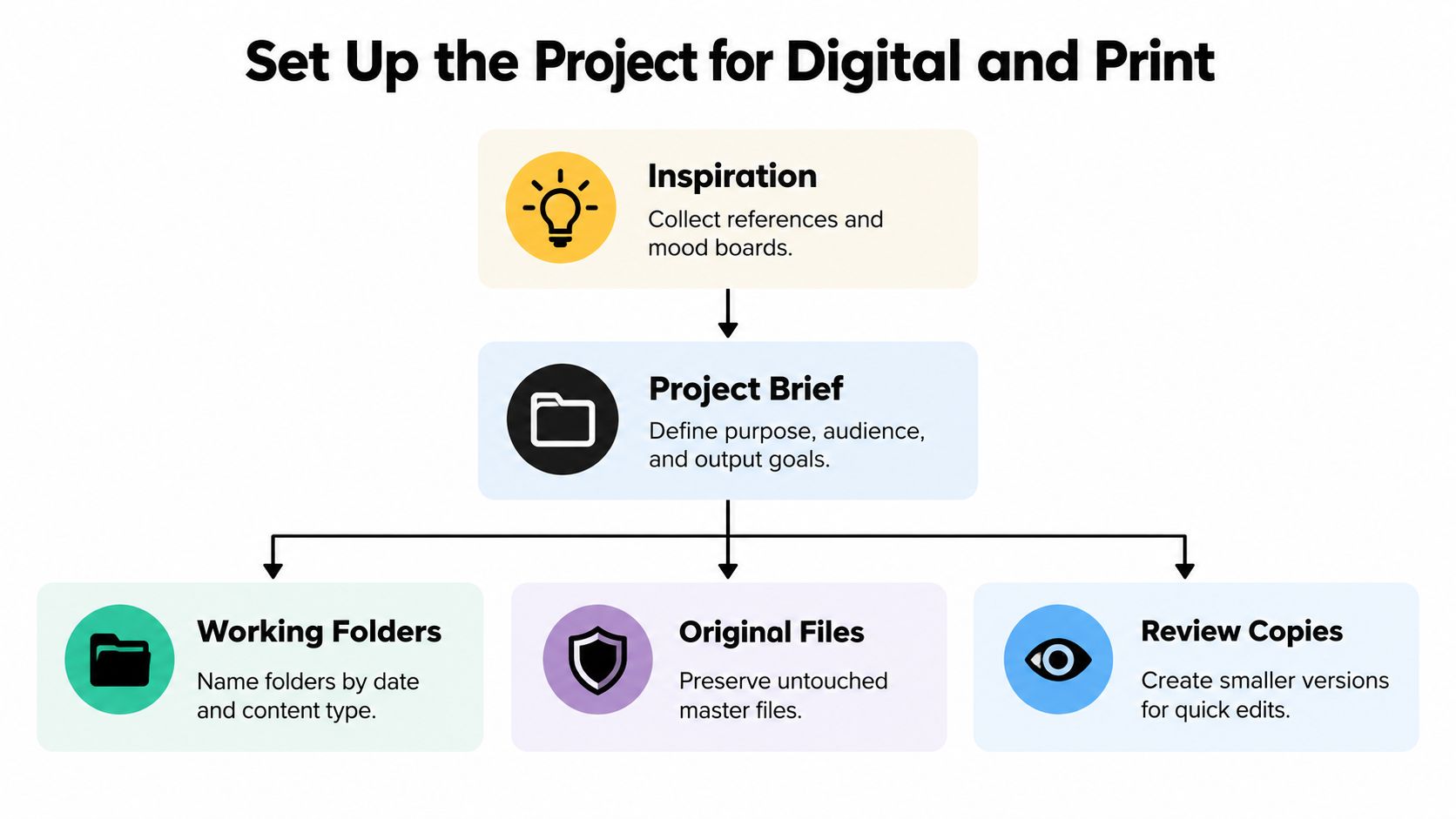
Use the setup diagram to separate your creative decisions from the files you need to protect.
Keep Masters Separate From Working Files
Create a parent folder named for the dog and the project. Inside it, use clearly labeled folders:
- Originals: Untouched photographs collected from phones, cameras, and contributors.
- Review copies: Smaller files for shortlisting and sharing during editing.
- Layout and captions: Page designs and a caption document.
- Exports and records: Finished print files, digital editions, and permission notes.
Give each selected image a stable identifier so you can connect its original, edited copy, and caption. Record the dog's name, date, location, event, photographer, and any restrictions on use. If you don't know a date, mark it as uncertain rather than inventing one.
Define the Output Before Cropping
Choose a digital slideshow, a printed album, or both. Establish the intended page shape and whether relatives will help review photographs.
Use the same labeled collection for every output. Don't build unrelated print and digital selections that become difficult to reconcile. You can change the presentation for each audience while keeping a clear connection to the master files.
Curate Photos Into a Clear Story
Start with a generous shortlist, not a final page count. Search your library using the milestone list, and gather promising images without stopping to perfect each one.
Use this workflow to move from collecting to making deliberate choices.
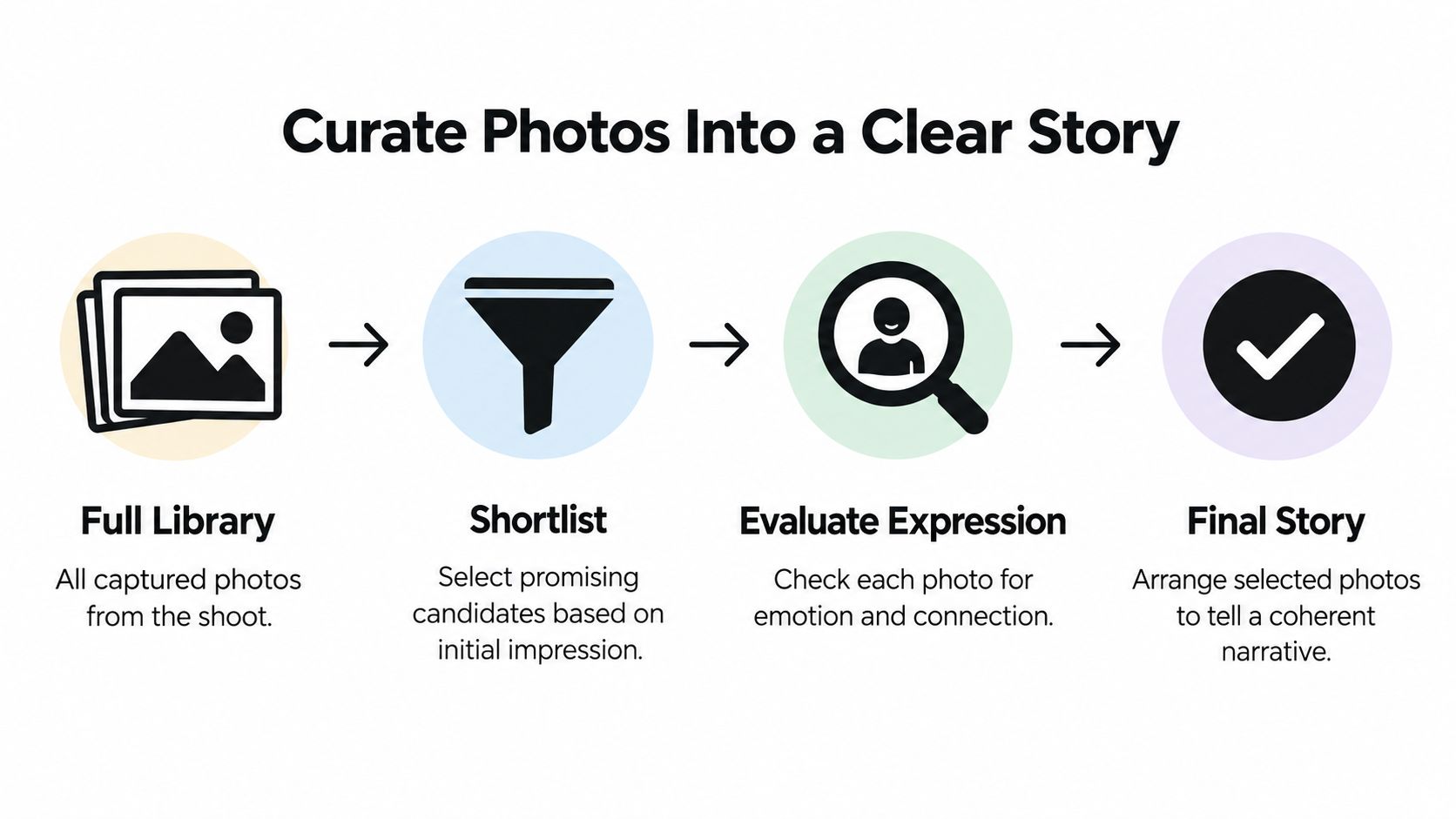
Evaluate each candidate for expression, pose, setting, composition, and narrative usefulness. A technically tidy portrait isn't automatically more valuable than a slightly imperfect photograph of your dog greeting a family member. Keep imperfections when they preserve a moment you couldn't recreate.
Select Variety Without Adding Filler
Group the shortlist into chapters such as puppyhood, everyday life, training, travel, working life, and senior years. Only use chapters that fit your dog's actual story.
- Wide scenes: Establish a beach, campsite, garden, or walking route.
- Close portraits: Give the reader time to notice expression and character.
- Full-body photographs: Show posture, movement, and physical change.
- Details: Include a favorite toy, muddy paws, or a well-used resting place when it adds context.
Remove near-duplicates unless something meaningfully changes between frames. A sequence showing hesitation, approach, and a successful training action has a reason to exist. Repeated head tilts usually don't.
If you need a stronger chapter-opening image, use these dog portrait photo considerations to assess possible reference photographs. Choose an image that works at its intended size, not merely as a phone thumbnail.
For a visual pause while reviewing your shortlist, you can watch the accompanying video.
Write Captions That Preserve Context
Use name, date, place, and a brief observation as your caption ingredients, not a rigid requirement for every picture. For example, describe the first relaxed night at home or the training cue being practiced rather than repeating that the dog looks adorable.
If your captions feel flat, browse meaningful dog picture captions from Soulknit for wording inspiration, then replace generic sentiment with your own details.
Captioning deserves attention: in a product-page usability study, users spent 18% of viewing time on photographs and 82% on text, as reported in Nielsen Norman Group's research on photos as web content. That isn't a dog-album study, but it's a useful reminder not to expect images alone to explain an unfamiliar story.
Choose the Right Album Format
For most owners, I recommend an edited print edition paired with a labeled digital archive. The printed album provides a settled reading experience; the archive retains originals and material you may want later.
Choose the physical or digital presentation according to how people will use it, not just how attractive the cover looks.
Choose the Format That Fits the Album's Job
| Format | Best For | Main Strength | Key Responsibility |
|---|---|---|---|
| Digital album | Remote relatives and ongoing updates | Easy revision and distribution | Manage files, access, compatibility, and privacy |
| Self-printed album | Hands-on makers and flexible assembly | Direct control over materials and arrangement | Handle printing, trimming, mounting, and consistency |
| Professionally printed book | Gifts and finished family keepsakes | Integrated pages and binding | Review specifications, proofs, and delivered quality |
| Original custom portrait | A commemorative visual centerpiece | A distinct interpretation for display | Choose a reference image and clarify the commission |
A digital album suits collaborative reviewing and a training record you'll keep extending. Its weakness is dependence on continued access to devices and services. Don't confuse a shared gallery with the master archive.
Self-printing gives you freedom to rearrange loose photographs and add handwritten material. It also makes you responsible for paper choices, color consistency, and assembly. Professional printing shifts production to a service, but you still need to check the files and finished book.
Use Original Art as a Companion
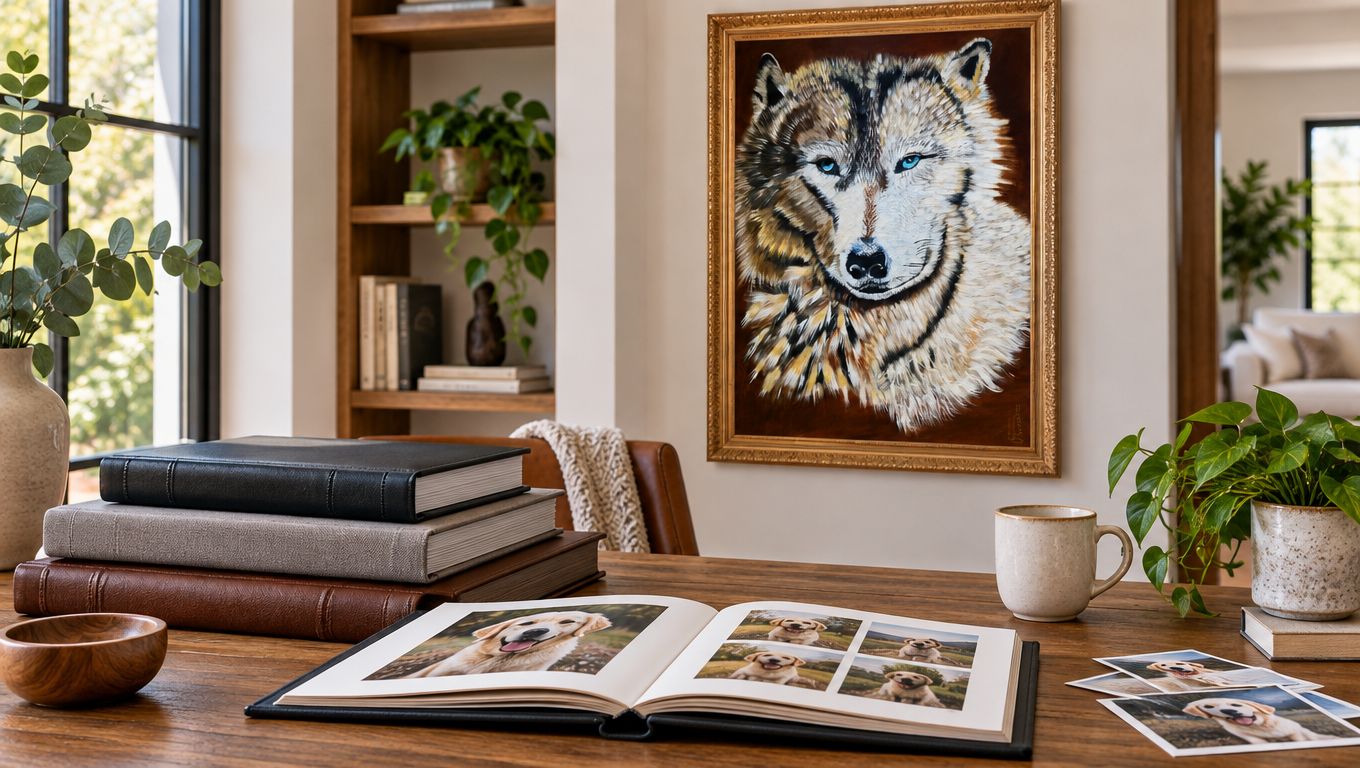
A custom portrait isn't a substitute for an album. It's a separate object that can anchor a birthday or memorial display while the album preserves the wider story.
For an example of an animal portrait intended for display, William Tucker Wolf Painting for Sale - Original Artwork - Ghost of the Forrest depicts a wolf with blue eyes and detailed fur using acrylics and mixed media on canvas. It's wildlife artwork, not a personalized dog album, but it illustrates the distinction between a gallery centerpiece and a photographic record.
Spend your effort on the format people will actually open, handle, or display. Keep the archive independent of that choice.
Design Pages Around the Dog
For a birthday anniversary spread, begin with a strong current portrait. Add supporting photographs from puppyhood, an ordinary day at home, and a favorite trip, then connect them with a short chronological caption. The portrait provides emphasis; the smaller images explain the relationship over time.
Give the dog visual priority. Don't crowd its face with decorative lettering or squeeze every photograph into the same template.
Match the Layout to the Moment
Use a full-bleed spread for a spacious outdoor scene when the crop preserves the dog and the setting. A framed portrait gives a quieter image room to breathe. Photo-and-caption pairs suit training milestones, while a timeline helps readers follow changes across life stages.
Scrapbook-style pages work for meaningful supporting objects, such as a handwritten memory or an event record. Keep decoration subordinate to the photographs.
- Mismatched colors: Separate images with neutral space rather than forcing heavy filters onto them.
- Busy backgrounds: Give the image more room or crop distractions without removing important context.
- Close crops: Keep eyes, ears, paws, and tails away from vulnerable page edges when possible.
- People in photographs: Preserve the interaction instead of cropping everyone out to isolate the dog.
Keep captions visually consistent and comfortably readable. Test the digital version on both mobile and desktop, and check whether text remains legible without repeated zooming.
Make Sharing an Intentional Choice
Prepare separate family, gift, and public editions. For public copies, remove embedded location information where appropriate, omit revealing routine details, and obtain permission before including identifiable people.
Don't assume platform defaults match your preferences. In a 2025 study of 541 social-media users, 92% preferred at least one privacy option more private than the default, according to the study published in Proceedings on Privacy Enhancing Technologies. The participants weren't specifically pet owners, so treat this as a reason to review controls, not a pet-specific finding.
Write alternative text describing visible action and surroundings. If you want movement in a separate digital presentation, explore pet animation by Photo for Video, while keeping the unaltered photograph in your archive.
Print and Bind the Album With Care
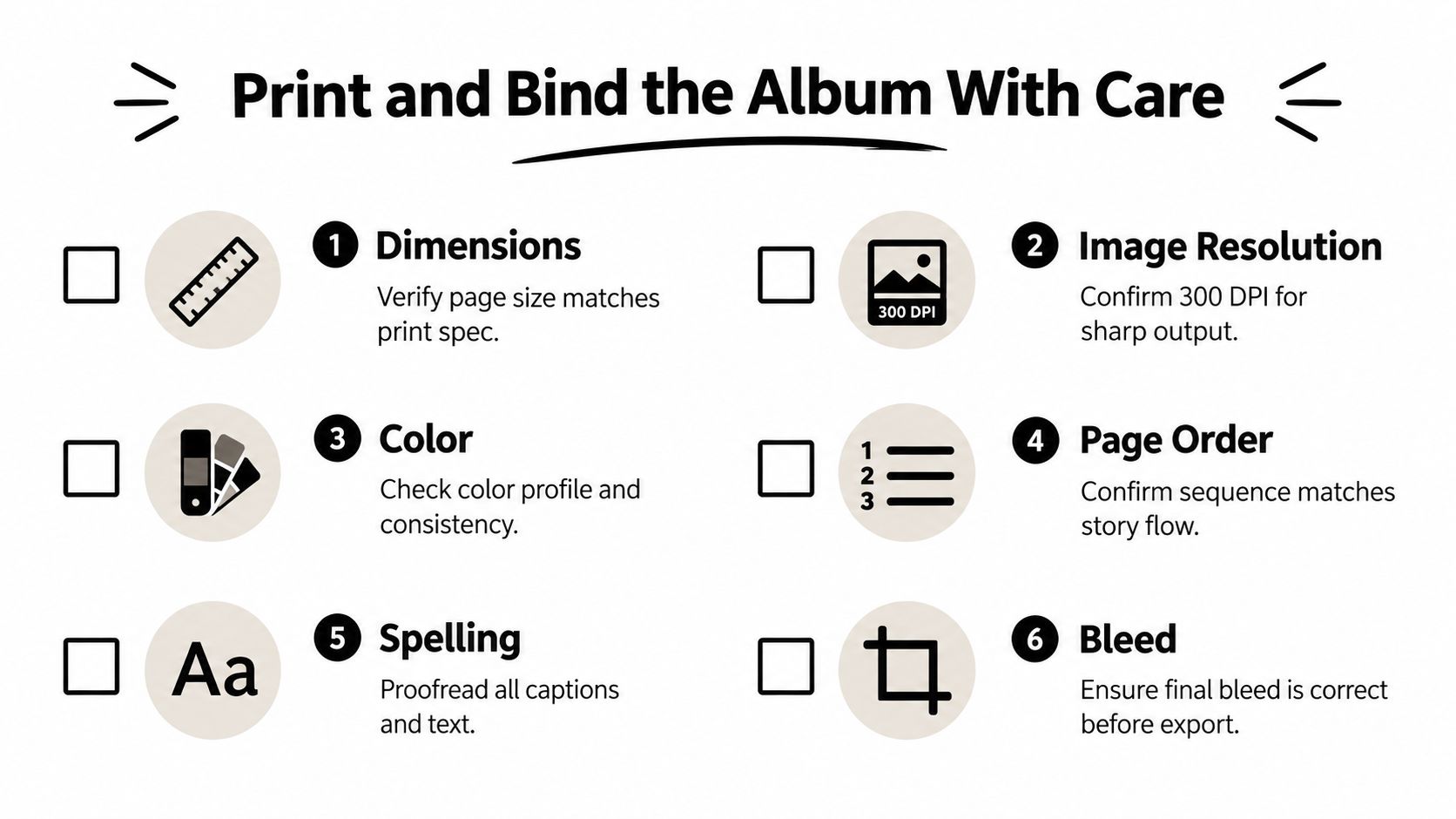
Check the printer's requirements before exporting. Verify page dimensions, effective image resolution at the chosen size, color settings, page sequence, caption spelling, and bleed. Keep important faces and text away from trim edges and binding areas.
Use the checklist as a production reminder, but follow your chosen printer's specifications rather than assuming every service requires identical settings.
Choose Binding for Handling
Lay-flat designs suit spreads viewed closely across the center. Hardcover bindings provide structure and protection during ordinary handling. Spiral formats can be convenient for working albums, but check whether the construction allows replacement pages.
For stitched options, ask how fully the finished book opens. Construction varies, so don't assume a binding label guarantees a particular reading experience.
Request a proof when available. Inspect fur detail, dark areas, skin tones, caption size, and anything crossing the center fold. When the finished album arrives, check:
- Production: Look for misalignment, damaged corners, loose components, and unexpected color shifts.
- Sequence: Confirm that every page appears in the intended order.
- Legibility: Read captions in ordinary room light, not just under a bright inspection lamp.
Specify Preservation Materials
For an assembled album, choose archival sleeves or photo corners instead of pressure-sensitive adhesive. Ask for acid-free, lignin-free paper; polyester, polyethylene, or polypropylene plastics; and documented Photographic Activity Test compliance under ISO 18916. Avoid magnetic or “no-stick” albums and self-stick tape, following Library of Congress photograph-album preservation guidance.
Material check: An “archival” label alone isn't enough. Ask for the actual material specifications and testing documentation.
Place the completed album in a preservation-quality box, away from excessive light, heat, and humidity. Don't leave it permanently open beside a sunny window or store it where conditions change sharply. Good production deserves equally careful storage.
Finish With a Long-Lasting Album Plan
Before calling the album finished, complete a final check:
- Story and access: Confirm narrative flow, remove repetitive frames, verify captions, check consent, and finish accessible text.
- Files and records: Identify originals, retain metadata and rights notes, and clearly label the master archive.
- Physical copy: Inspect the print and assign it a safe storage location.
Keep independent copies in separate locations, check that files remain readable at least annually, and refresh storage media periodically. For a commemorative edition, retain the dog's identifying information and source records alongside the narrative. These pet memorial picture ideas can help you choose a meaningful emphasis without making every page solemn.
A smaller, carefully edited album can preserve more meaning than an oversized collection. Finish a modest chapter, such as puppyhood or a favorite trip, and use it as your design proof before completing the full dog photo album.
William Tucker Art offers custom pet portraits and original wildlife artwork for owners and collectors who want an animal-centered piece for display. Choose a photograph from your finished album that captures your dog's character, then visit William Tucker Art to explore a portrait commission that can accompany your keepsake.